Game Glitch: A Pixel-Perfect Font for Retro and Modern Designs
Capturing the Pixel Art Vibe
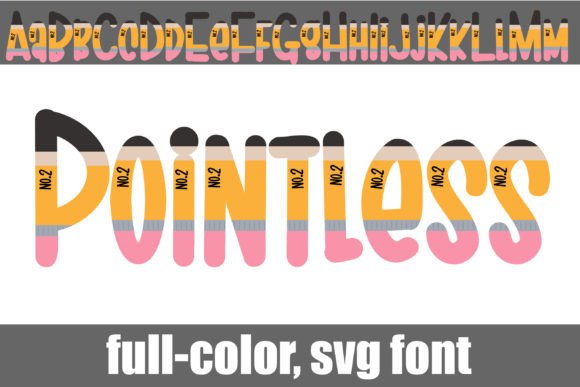
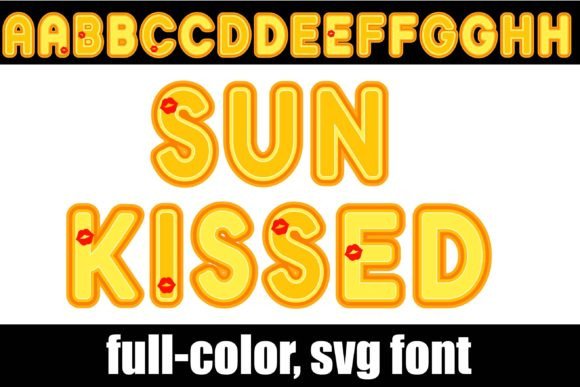
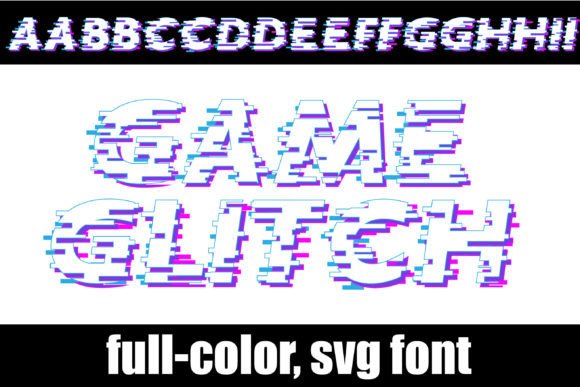
If you're looking to inject a dose of nostalgic energy into a project, the Game Glitch typeface is a design asset that immediately transports you back to the golden age of 8-bit and 16-bit gaming. It isn't just a collection of letters; it is a full-color, pixelated display font designed to mimic the visual language of classic video games. Unlike standard vector typefaces, this is an OpenType full-color (SVG) font, meaning the actual vector data contains color information. This allows the letters to appear in vibrant, multi-colored hues right out of the box, creating a dynamic and textured look that standard monochrome fonts simply cannot achieve.
The visual personality of Game Glitch is defined by its sharp, blocky construction and its playful, energetic aesthetic. It evokes a sense of fun, creativity, and digital culture. Because it relies on the familiar structure of pixel grids, it feels accessible and immediately recognizable to a wide demographic, particularly those who grew up with arcade machines or appreciate the resurgence of retro aesthetics in modern web design and social media graphics. It bridges the gap between a nostalgic memory and a modern design trend, making it a versatile tool for branding and creative projects.
Practical Applications and Project Fit
When deciding where to deploy Game Glitch, context is everything. This is a premium font designed specifically for impact, not for body copy. Its primary strength lies in its ability to grab attention instantly. For entrepreneurs and small business owners, this makes it an excellent choice for logo design, particularly for brands in the tech, entertainment, gaming, or youth-oriented sectors. A logo set in a full-color SVG font stands out on a crowded shelf or a busy social media feed because the color is baked into the letterforms.
Beyond logos, this creative font shines in high-visibility environments. Consider using it for:
- Packaging Design: Especially for products aimed at gamers, tech enthusiasts, or children. The colorful, playful nature adds perceived value and excitement.
- Editorial Design: Use it for magazine covers or pull quotes to break the monotony of standard serif or sans serif fonts.
- Social Media Graphics: In the fast-scrolling world of Instagram or TikTok, a bold, pixelated headline can stop the thumb and increase engagement.
- Event Branding: Perfect for flyers or posters for LAN parties, retro-themed nights, or gaming tournaments.
However, it is vital to evaluate the project fit carefully. Because Game Glitch is a display font, it is not suitable for long-form text. The intricate pixel details and colors would make paragraphs unreadable. It works best when used sparingly for headlines, titles, and short bursts of text where style outweighs the need for rapid scanning.
Technical Compatibility and Installation
One of the most common hurdles with full-color SVG fonts is compatibility. It is important to understand that Game Glitch functions differently than a standard handwritten font or script font. As an OpenType full-color typeface, it requires software that supports the SVG (Scalable Vector Graphics) table within the font file.
Programs that currently support these full-color capabilities include Adobe Photoshop, Illustrator, InDesign, QuarkXPress, Inkscape, and notably, Silhouette Studio for crafters. If you use this font in a program that does not support SVG color fonts, the text will default to rendering in solid black. While the shape of the pixelated letters will remain, you will lose the signature multi-colored effect that makes the font special.
Installation follows the same process as any standard .otf file. Mac users can install it via FontBook, while Windows users can use their Control Panel or preferred font manager. Once installed, remember that in some compatible programs, the font might appear black in the preview window or font menu. You will only see the true colors once you type out the text on your canvas. This is standard behavior for modern typography involving SVG technology.
Design Strategy: Pairing and Hierarchy
To use Game Glitch effectively, you must master the art of font pairing. Because this typeface is so visually loud and stylistically distinct, it demands a quiet partner. Pairing it with another decorative or heavy font will result in visual chaos and destroy your visual hierarchy.
The best practice is to combine this pixelated display font with a clean, neutral sans serif font or a simple serif font for your subheadings and body text. For example, a geometric sans serif with generous spacing provides a modern, professional contrast to the retro, blocky nature of Game Glitch. This contrast allows the headline to pop while ensuring the supporting information remains legible and professional.
Furthermore, consider the color palette of your design. Since the font brings its own colors, your background and surrounding design elements should be relatively simple to avoid clashing. A solid, dark background often makes the colors of the font pop the most, mimicking the look of a dark arcade screen.
Commercial Usage and Final Considerations
For designers, publishers, and content creators, understanding the licensing and technical limits of your design assets is crucial for maintaining professionalism. Before finalizing a brand identity using Game Glitch, always ensure your commercial license covers your intended use, whether for digital products, merchandise, or print-on-demand services.
Additionally, always conduct a "squint test" to evaluate readability. Step back from your screen; if the title is hard to decipher at a glance, the pixel density might be too high for that specific size. While SVG fonts are vector-based and can be scaled to any size without losing quality, the visual density of the pixels can become overwhelming if the text is too small.
Ultimately, Game Glitch